> For the complete documentation index, see [llms.txt](https://gopersonal.gitbook.io/calvin/llms.txt). Markdown versions of documentation pages are available by appending `.md` to page URLs; this page is available as [Markdown](https://gopersonal.gitbook.io/calvin/user-guides/modes.md).
# Modes
Calvin supports different modes that let you control how the agent approaches your tasks. Each mode is optimized for a specific type of interaction, from planning and exploration to rapid fixes and long-running complex tasks.
### Plan Mode
Plan Mode is designed for collaborating with the agent to build a structured plan before any code is written. The agent will analyze your request, ask clarifying questions, and produce a detailed execution plan.
Once the plan is ready, you can request adjustments or approve it and move on. From Plan Mode, you can either ask for changes to the plan or transition to Build Mode to start implementing it. Importantly, when switching from Plan Mode to Build Mode, the plan is automatically carried over so the agent maintains full context.
### Build Mode
Build Mode is the standard development mode where the agent actively writes, modifies, and iterates on your codebase. You can start a chat directly in Build Mode without going through Plan Mode first — it is the default mode for most development tasks.
When switching between Build Mode and Flash Mode, we recommend starting a new chat or clicking "Clear Chat" to ensure the agent is working with a clean context and performs at its best.
### Ask Mode
Ask Mode is a read-only mode intended for questions and exploration. The agent will answer your questions and provide guidance without making any changes to your codebase. Use this mode when you want to understand how something works, get explanations, or explore options — without triggering any modifications.
If you switch from Ask Mode to Build Mode or Flash Mode, the agent session is reset and the agent will only see your latest message.
### Flash Mode
Flash Mode is a fast, lightweight mode built for small changes and quick fixes. It is generally faster than Build Mode, but it is only recommended for well-defined or small-scope tasks. For larger or more complex requirements, Build Mode will deliver better results.
When switching modes mid-chat (for example, from Ask to Flash or from Ask to Build), the agent session resets and the agent will only have visibility into the user's latest message — it does not retain previous conversation history. For the best results with Flash Mode, we recommend starting a fresh chat or clicking "Clear Chat" before using it.
### Epic Mode
Epic Mode is designed for long-running, complex tasks that require thorough execution and validation. In this mode, multiple specialized agents — both development and validation agents — collaborate on the task. The agent iterates 3 times on the task to ensure that the original requirements are fully met before delivering a result.
Use Epic Mode when the scope is large, the requirements are nuanced, or when quality assurance is critical. It takes more time than other modes, but offers the highest level of completeness and reliability for demanding tasks.
### How to Use Modes
#### Starting a Chat in a Specific Mode
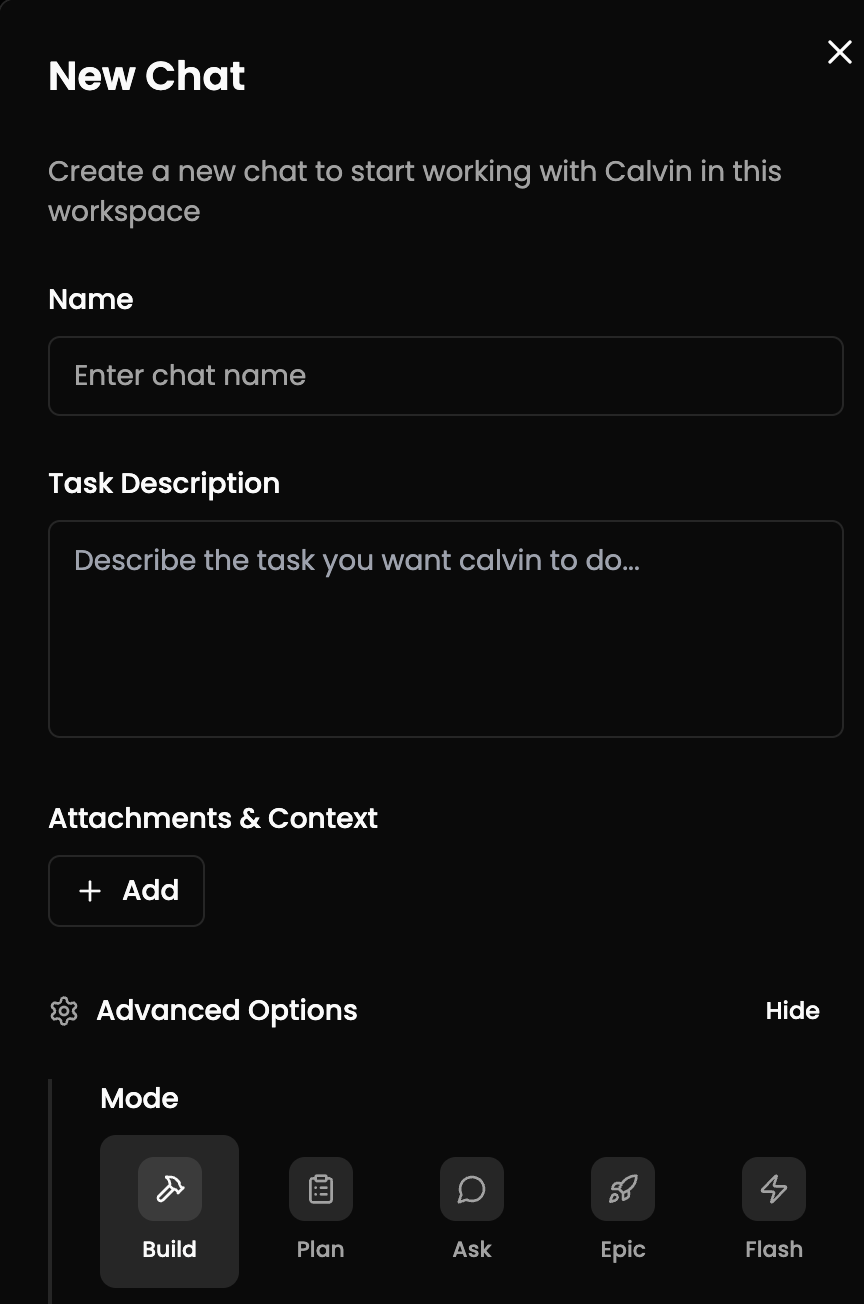
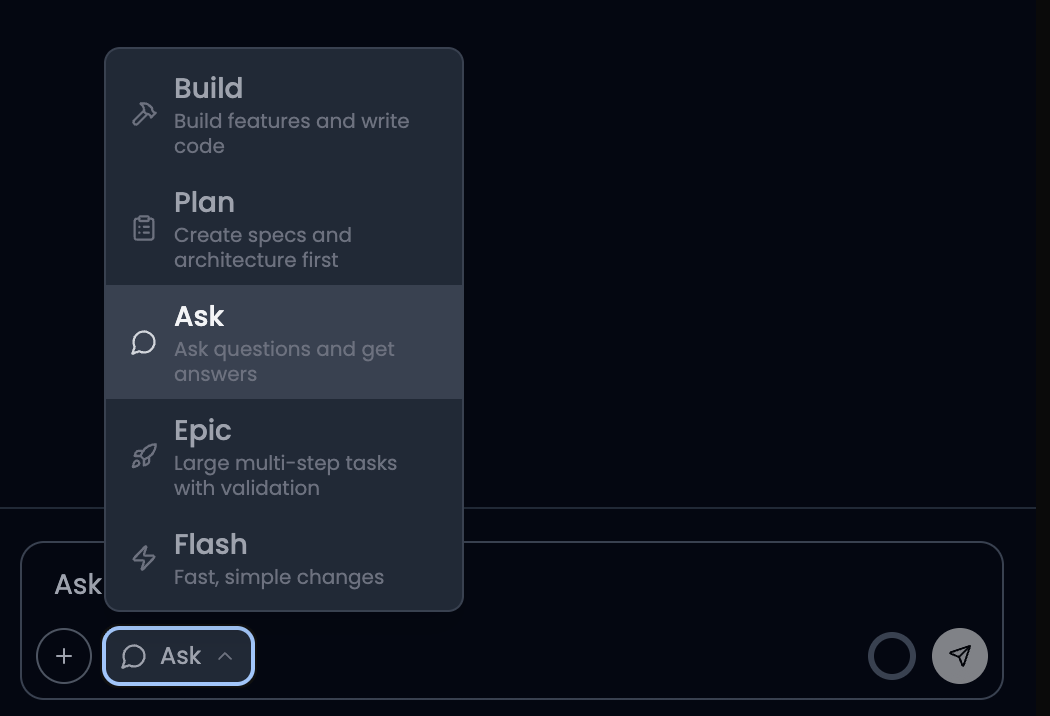
You can select the mode before starting a new chat. The mode selector is available in the chat interface, allowing you to choose the right mode for your task from the very beginning.
#### Changing the Mode in an Existing Chat
You can also change the mode from within an active chat. Here is how each mode transition behaves:
When switching from Plan Mode to Build Mode, the plan is automatically passed along so the agent retains the full context and can immediately start building.
When switching from Ask Mode to Build Mode or Flash Mode, the agent session is reset. The agent will only see the user's latest message and will not have access to previous conversation history.
When switching between Build Mode and Flash Mode, the session also resets. For best results, we recommend starting a new chat or clicking "Clear Chat" before using Flash Mode, so the agent can focus on the task without unnecessary context overhead.